Workout tracker & gym log
Every set,
in its place.
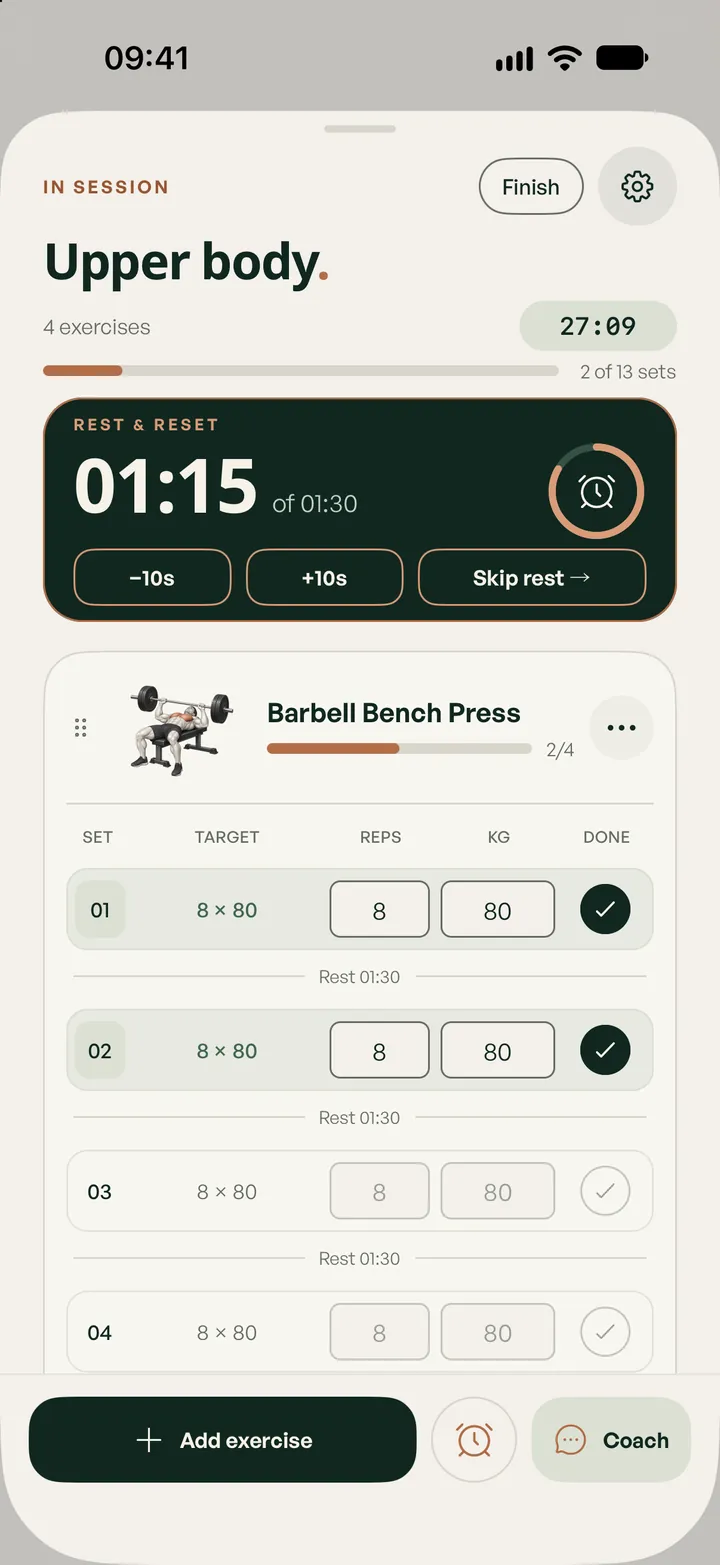
Lifterly is a gym log built for the minute between two sets: your targets are already there, a tap marks a set done, and the rest timer starts on its own. Your history, your records and your volume build up in the background. Tracking is free, with no limit on workouts.
Start for free. Build from there.
- Unlimited workouts, plans and history
- Free
- To log a set that hit its target
- 1 tap
- Your unit, everywhere, Apple Watch included
- kg / lb
How it works
Plan it, lift it,
see it add up.
- 01
Start from a plan, or from nothing
Open a session you planned, repeat a past workout, or start empty and add exercises from the library of 241 movements as you go.
- 02
Log as you lift
Enter reps and weight, or hold a set to copy its target in. Do your exercises in whatever order the gym allows: Lifterly shows your progress, never an “up next” order.
- 03
Finish and look back
The summary shows duration, sets, reps and volume. Each exercise keeps its own history: your heaviest lift, your best session and a chart of your last sessions.
Rest, handled
A rest timer that starts itself.
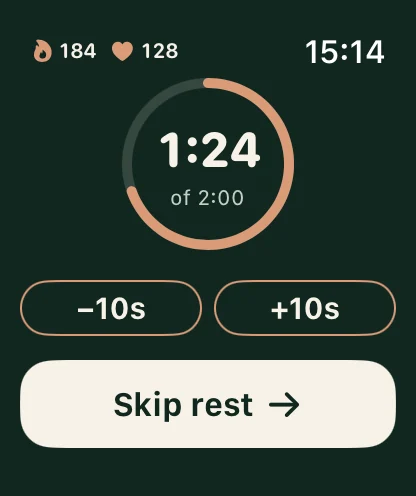
Give an exercise its own rest, from 30 seconds to two minutes or any duration you like, and the countdown starts each time you complete a set. Add or remove ten seconds, or skip it when you’re ready.
The countdown follows you onto the Lock Screen and the Dynamic Island, and onto your wrist if you wear an Apple Watch. A notification tells you when it’s time for the next set.
- Automatic rest per exercise
- Live Activity with the countdown on the Lock Screen
- Haptics when the rest is over
History that means something
Your training, remembered.
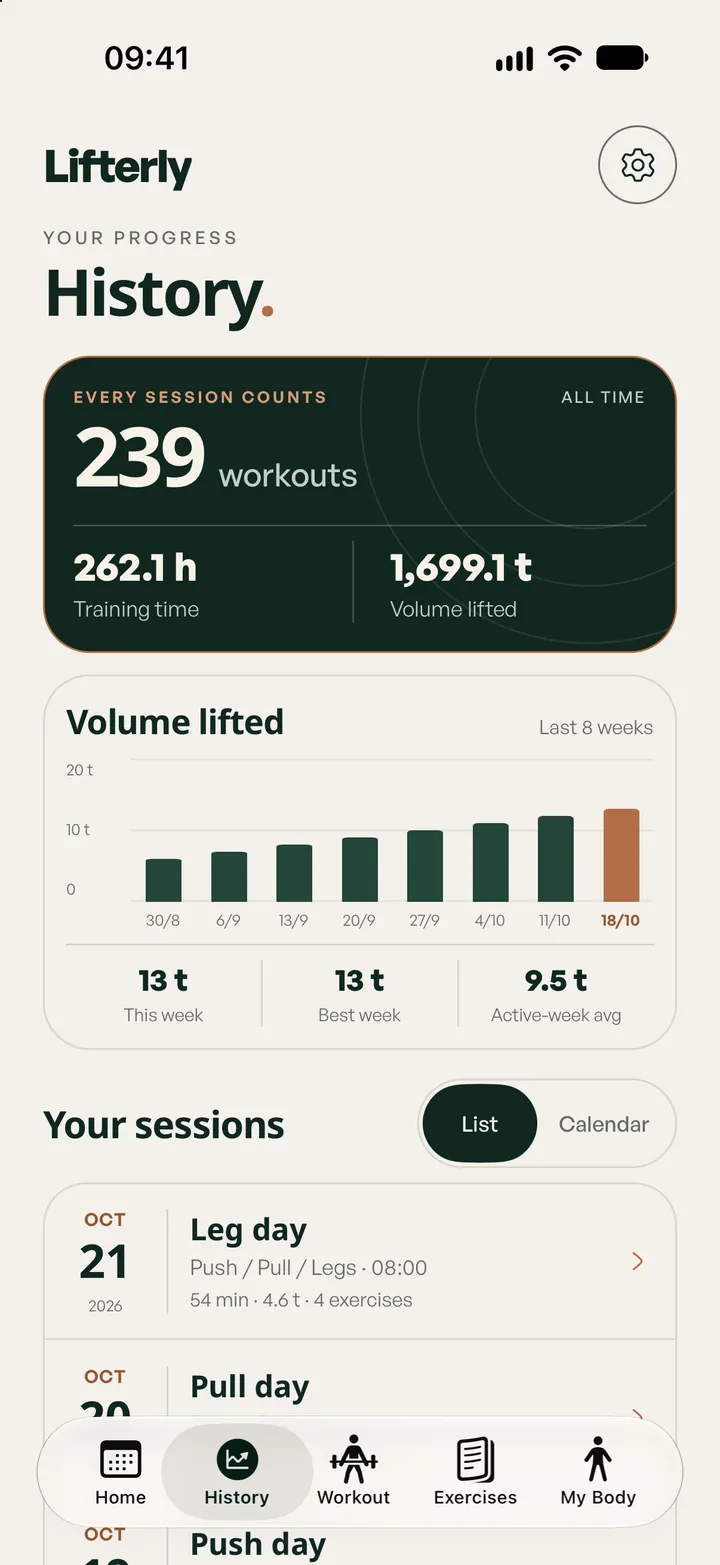
Every session lands in a calendar you can browse month by month, with your weekly volume and your best week next to the current one. Open any exercise to see your heaviest lift, your peak session volume and how your sets moved over your latest sessions.
Want a reference point for your next block? Estimate your one-rep max from any set with the 1RM calculator, or let Lifterly Pro turn your logs into a strength score.
Small things, done right
Made for a real gym floor.
Your workouts are saved on your phone first, so a basement gym with no signal is no problem: everything syncs once you’re back online. You don’t need to create an account to start; link Apple, Google or an email later to keep your history across devices.
- Works offline, syncs later
- No sign-up needed to start
- A home screen widget with your week
- Demo videos and instructions for every exercise
Free and Pro
The tracker is free.
All of it.
No cap on workouts, routines or history, and Apple Watch included. Pro only adds the AI on top.
Free
- Unlimited workouts, planned sessions and history
- Rest timers, Live Activity and the home screen widget
- Records and charts on every exercise
- Apple Watch tracking
Lifterly Pro
- AI-generated sessions and weeks
- The AI coach, during and after your workouts
- A recap of each session from your coach
- Performance and body ratings
Questions
A few things worth knowing.
Is the Lifterly workout tracker really free?
Yes. Logging workouts, planning sessions, rest timers, your full history and Apple Watch tracking are free, with no limit on the number of workouts or routines. Lifterly Pro adds the AI features.
Can I log supersets or add notes to a set?
Not yet: each exercise is logged on its own, without notes. You can still alternate between two exercises freely, since sets can be done in any order.
Can I add my own exercises?
Not yet. Lifterly uses its own library of 241 exercises, each with a demo video and instructions. Missing one? Tell us from the app’s Contact screen: the library grows from those requests.
Can I import my history from another app?
There’s no import yet. If you’re coming from Hevy or Strong, you can start fresh: Lifterly sets its first targets from your level, then from what you log.
Does it work in pounds?
Yes. Choose kg or lb in Settings; the whole app, including the Apple Watch, follows.
Keep exploring.
- Apple Watch
Log your lifts from your wrist
Sets, weights with the Digital Crown, rest and heart rate on Apple Watch. Free for everyone.
Read more - 1RM calculator
One-rep max calculator
Estimate your max from any set of up to 12 reps, with a percentage chart for your next block.
Read more - Full body, 3 days
Full body, 3 days a week
Three whole-body sessions on Monday, Wednesday and Friday: the simplest way to start, and to keep progressing.
Read more